← Back to True Shuffle
How to Get Your Spotify Client ID
Complete these steps once — takes about 2 minutes.
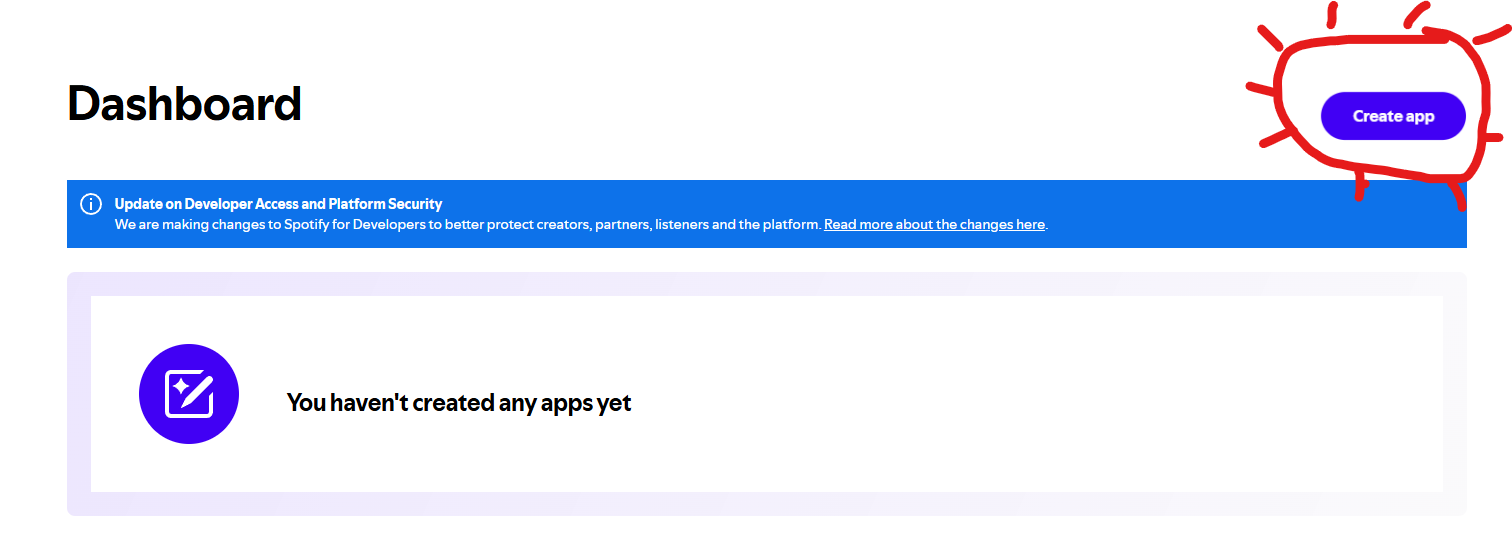
Go to developer.spotify.com/dashboard
and log in with your Spotify account. Then tap Create app in the top-right corner.
💡 Tip: If you can't see the Create app button,
try rotating your phone to landscape mode — the button can be
hidden off-screen in portrait on some devices.
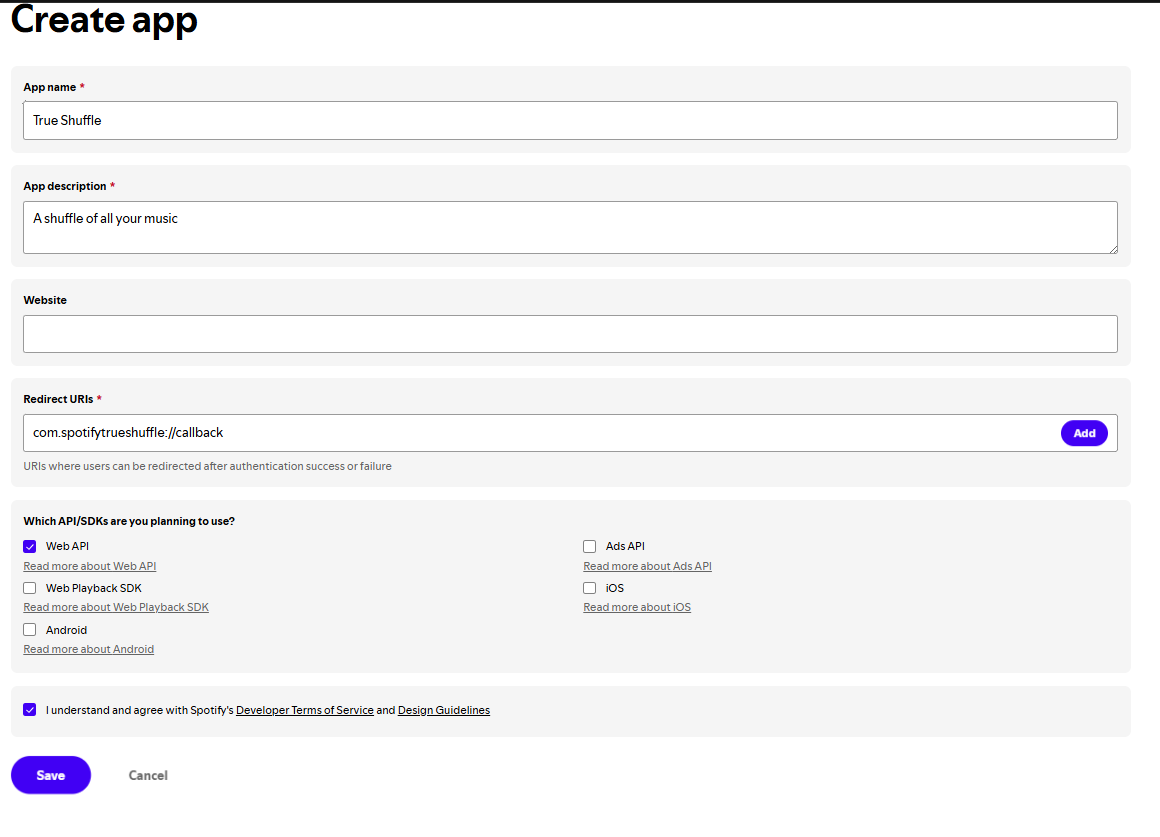
Enter any App name and Description
(e.g., "True Shuffle" and "A real shuffle of all my music").
In the Redirect URIs field, enter the URL shown below exactly,
then tap Add:
Loading…
Tap to select · copy it into the Redirect URIs field
Under Which API/SDKs are you planning to use?, check Web API.
Accept the terms and tap Save.
After saving, you'll be taken to your app's Basic Information page.
Your Client ID is the 32-character code shown at the top.
Tap the copy icon next to it.
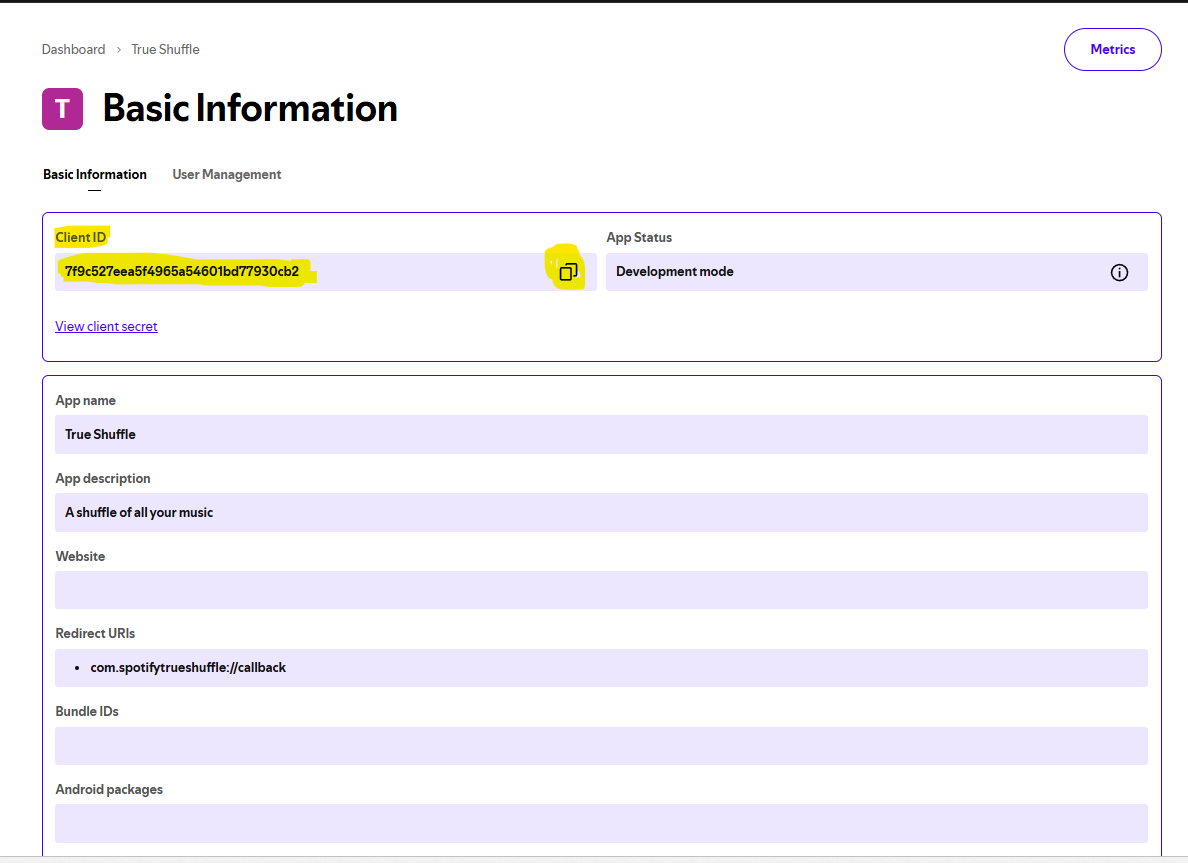
Note: You do not need the Client Secret.
True Shuffle uses a secure PKCE flow that only requires the Client ID —
your credentials never leave your device.
Go back to True Shuffle, paste your Client ID into the field, and tap
Save & Continue. You'll only need to do this once.
Your Client ID is stored only in this browser and is never sent
anywhere except directly to Spotify's servers when you log in.
← More apps by Dan